
Spreadsheets to a Twenty CRM: A Multi-Venue Case Study
About the project
Date:
Nov 26, 2025
Client:
Samaroh Banquets
Spreadsheets to a Twenty CRM: A Multi-Venue Case Study
We worked with an event company running multiple venues across the city. They have dozens of sales staff and teams on the ground. The whole business ran on Google Sheets. The staff loved it because data entry was fast. The owners hated it because it was a mess disconnected and hard to track.
They knew they had to switch, but stopping everything to train people on new software wasn't an option.
They picked Twenty CRM to fix the data problem now, while giving the team 6 months to get used to the change.
The Problem: Changing Habits is Hard
The owners wanted a real CRM, but they were worried:
Speed: Staff could type faster in Excel rows than in a CRM form.
Downtime: A hard switch meant days of lost work during training.
Fear: The team treated the sheets as their safety blanket.
They needed a way to introduce the CRM without breaking their daily workflow.
The Solution: Phase 1 - The "Ghost" CRM
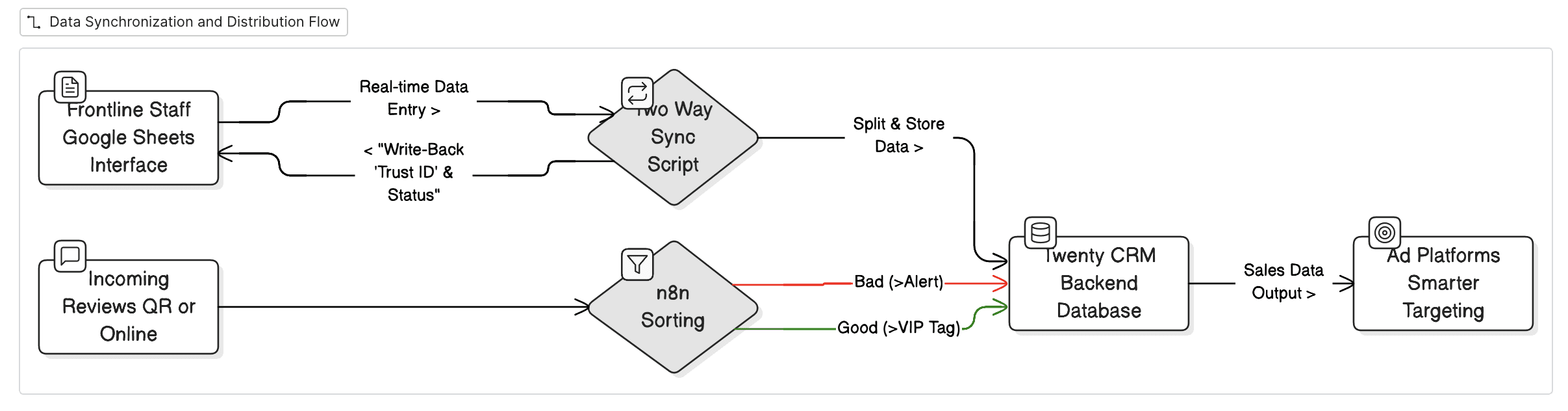
We didn't force a switch. Instead, we hosted Twenty CRM on their own GCP servers and hooked it up to their existing sheets.
Right now, the CRM runs in the background. Staff still use sheets, but the data goes where it needs to go. This builds trust before we ask them to swap screens.
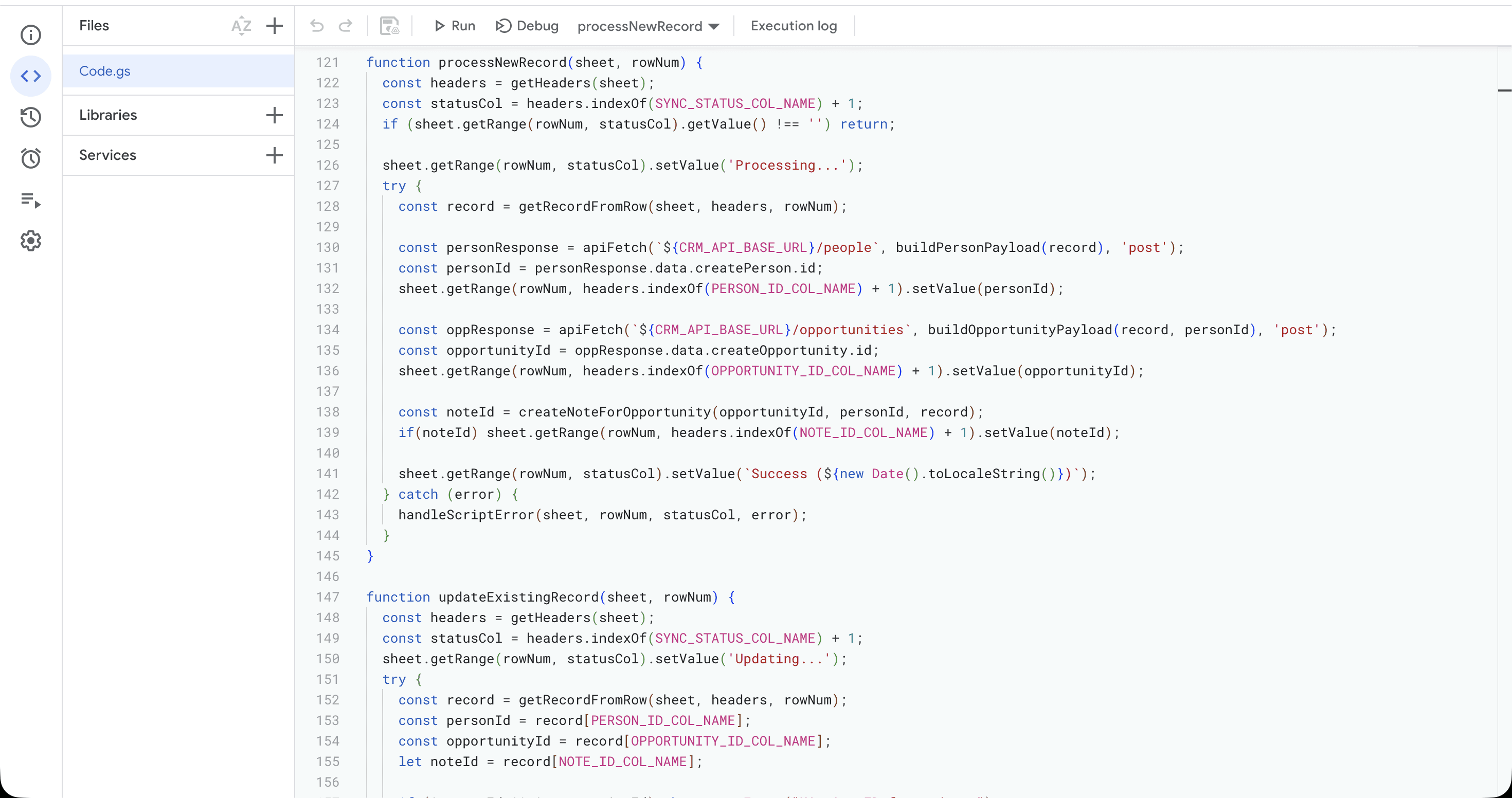
1. Two-Way Sync (Google Apps Script)
We wrote a script to keep the sheets and Twenty in sync.
Splitting the Data: When a staff member types a row in the sheet, the system automatically splits it into Contacts, Opportunities, and Notes inside Twenty.
The "Trust" ID: The system writes a CRM ID back into the spreadsheet row. This proves to the staff that their data is safe and logged.
Updates Work Both Ways: If a manager updates a deal stage in Twenty, it changes in the Google Sheet too.
Every record created or updated gets synced in real time with the CRM.
2. Handling Reviews
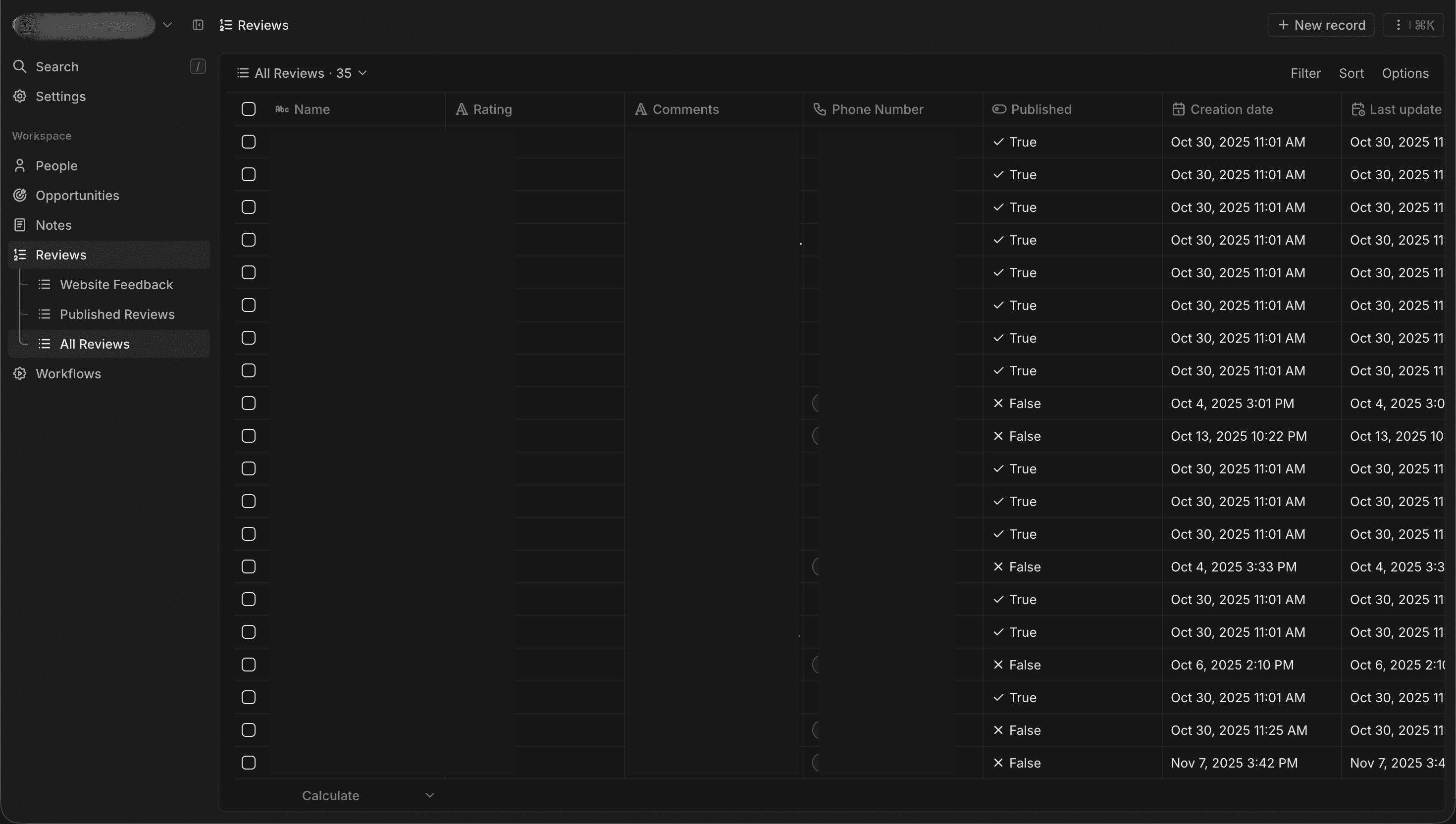
We made a specific section in Twenty for Reviews (Custom Object) to catch feedback from online profiles and venue QR codes.
We used n8n to sort them automatically:
Bad Review (< 3 Stars): Pings the owner immediately to fix it.
Good Review (4+ Stars): Tags the customer as a VIP.
3. Better Ads
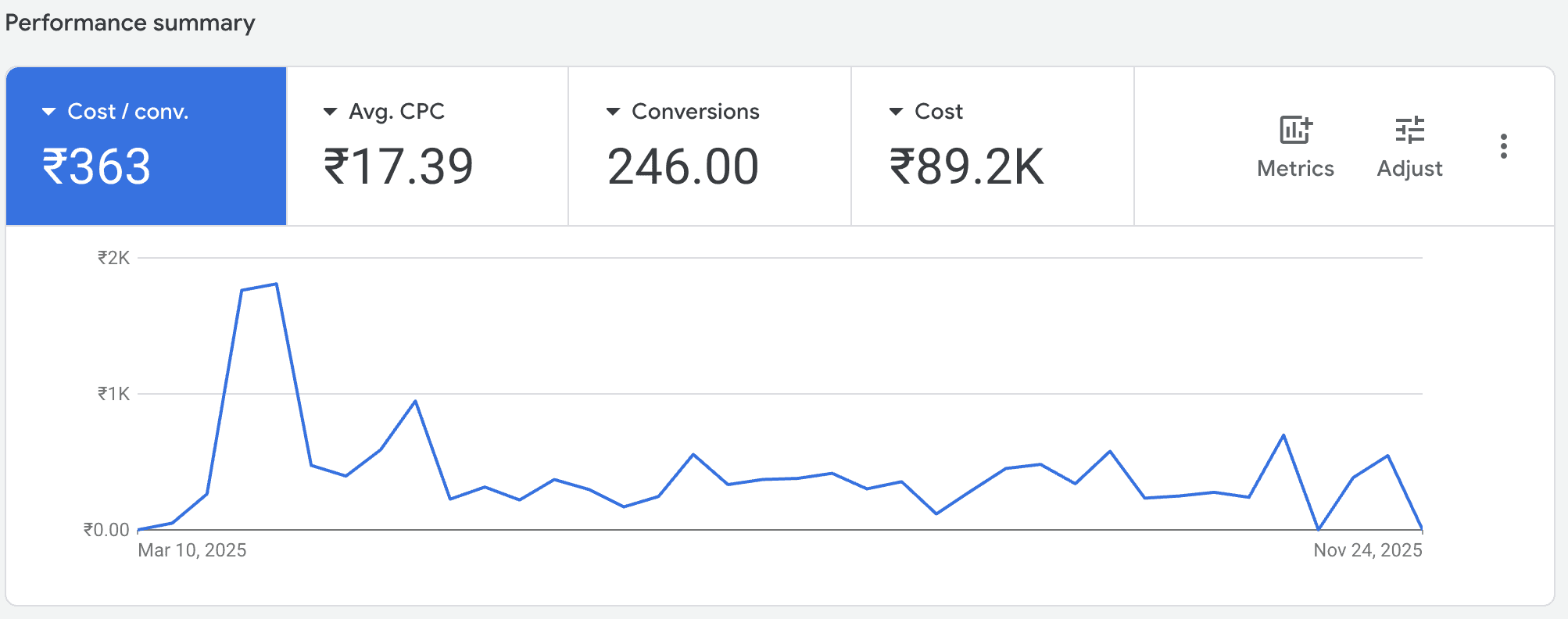
We connected the CRM to Google Tag Manager to send sales data back to Facebook and Google Ads.
This creates audiences based on actual money made, not just clicks.
Result: Ad costs went down fast. This proved to the owners that the system was working.
What's Next?
It's been 6 months, and the background sync was just the foundation. Now that the data is solid, we are upgrading the system:
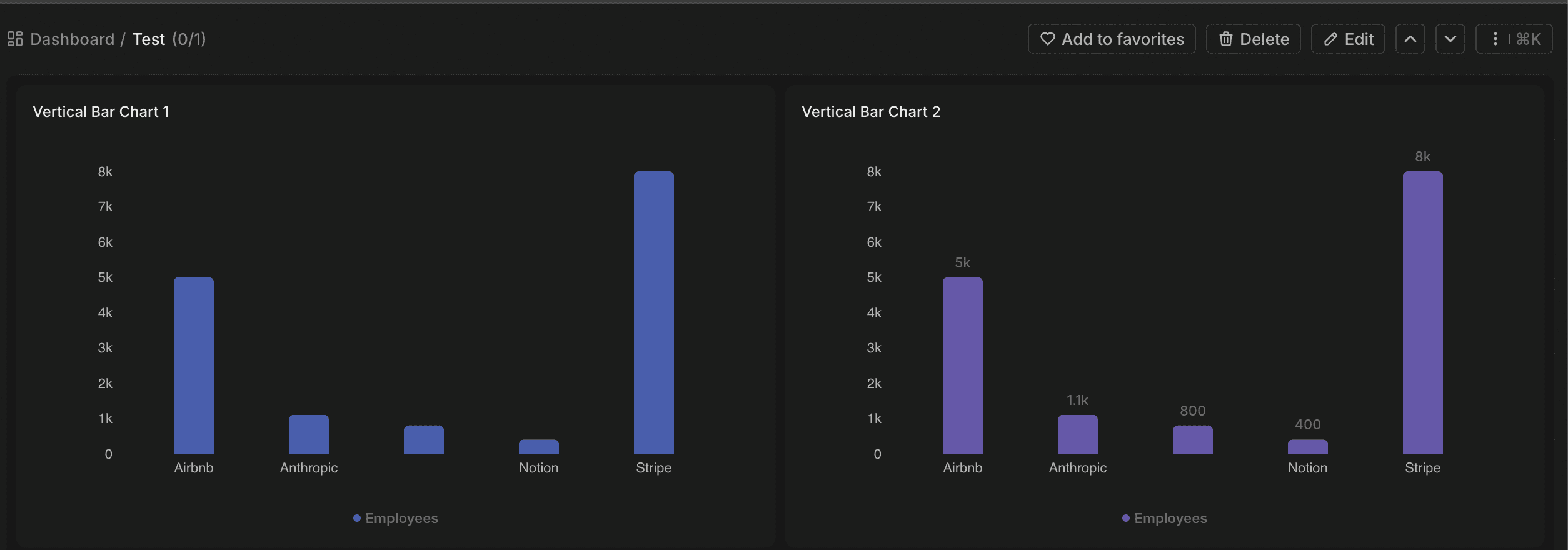
Native Dashboards & Workflows: Twenty launched these features recently, so we are moving our manual reports and n8n logic directly into the CRM. This makes it easier for owners to see stats without leaving the app.
The Next Big Step: Unified Inbox:
The Goal: We want to connect our ads to a WhatsApp number.
The Flow: When a customer replies to an ad, the chat lands inside Twenty. Staff can reply directly from the CRM instead of using personal phones.
Status: We are waiting for the Unified Inbox feature to go live to build this.
The Outcome
Continued Operations: Operations didn't stop. The switch is happening quietly.
Less Fear: Staff see the sync working, so they aren't scared of losing data.
Business Wins:
Better SEO: Fast replies to reviews boosted local rankings.
Cheaper Leads: The ad targeting got smarter immediately.
