56%
More enquiries than the same months last year
April to October 2026 against April to October 2025, counted in the lead book in Twenty CRM
53% cheaper bookings on Google
A booking from Google Search ads cost 53% less than one from Meta ads.
Every enquiry has a source
Each WhatsApp chat is tied to the Meta ad or Google click that started it, or left unmatched.
One CRM for every enquiry
Calls, walk-ins, WhatsApp chats and website forms all end up in Twenty.
Real leads are counted
Sales tags show which chats were real, so cost is worked out per real lead and per booking.
Google learns from sales
Once the sales team tags a lead, the outcome goes back to Google Ads. Junk never does.
Reports that update themselves
The ads report refreshes every morning, and a weekly report adds the CRM lead book.
Built with
Twenty CRMGoogle SheetsApps Scriptn8nInteraktMeta AdsGoogle AdsGoogle Tag ManagerGitHub ActionsGoogle CloudSamaroh Banquets runs several banquet halls in Thane West. Its sales team logged every enquiry in Google Sheets.
We started working with them in 2025 to move that data into a CRM without stopping the team's work. In 2026 the business began paying for Meta and Google ads, and the owners wanted to know which ads led to bookings. So we traced every enquiry from the ad to the booking, and automated the work around it.
The result: 56% more enquiries
From April to October 2026, the sales team logged 2,672 enquiries in its lead book. In the same months of 2025 it logged 1,708. That is 56% more.
The growth came through WhatsApp, the channel the new ads point to. Meta ads that open a WhatsApp chat started in May 2026, and Google Search ads followed in July. Calls, walk-ins, the website and referrals brought in about the same number as a year before.
Enquiries per month in the lead book
| Month | Calls, walk-ins, website, referrals and others | Total | |
|---|---|---|---|
| Apr 2025 | 196 | 0 | 196 |
| May 2025 | 295 | 0 | 295 |
| Jun 2025 | 260 | 0 | 260 |
| Jul 2025 | 265 | 0 | 265 |
| Aug 2025 | 192 | 0 | 192 |
| Sep 2025 | 214 | 0 | 214 |
| Oct 2025 | 286 | 0 | 286 |
| Nov 2025 | 225 | 0 | 225 |
| Dec 2025 | 338 | 0 | 338 |
| Jan 2026 | 250 | 1 | 251 |
| Feb 2026 | 292 | 8 | 300 |
| Mar 2026 | 308 | 10 | 318 |
| Apr 2026 | 342 | 18 | 360 |
| May 2026 | 276 | 96 | 372 |
| Jun 2026 | 192 | 112 | 304 |
| Jul 2026 | 199 | 126 | 325 |
| Aug 2026 | 230 | 227 | 457 |
| Sep 2026 | 235 | 218 | 453 |
| Oct 2026 | 196 | 205 | 401 |
How it all fits together
Enquiries start in four places and end up in one CRM. Automations move them along the way, and results flow back to the ad platforms and the owners.
How the whole system fits together
Where enquiries start
Meta ads
Open a WhatsApp chat with the sales team.
Google Search ads
Lead to the website, where a button opens WhatsApp.
Website
Gives each ad visitor an enquiry code, and has an enquiry form.
Calls, walk-ins and referrals
Written into the team’s sales sheet as before.
- Every enquiry is caught
Where they land
Interakt (WhatsApp)
The team’s WhatsApp inbox. A bot asks the occasion, budget and guests.
Google Sheets
The sales sheet the team types into, and the logs n8n writes.
- Automations pick it up
What runs on them
n8n
Logs bot answers, ad clicks and website forms, and feeds the CRM and Meta.
Apps Script
Keeps the sheet and the CRM in step, both ways.
Daily job (GitHub Actions)
Reads sales tags, matches Google clicks, pulls ad spend.
- One record per enquiry
Where it all lives
Twenty CRM
Every enquiry with its source, status, event and date.
- Results flow back
What goes back out
Google Ads
Bookings and promising leads, once the sales team has tagged them.
Meta audiences
Everyone who messaged, and lookalikes of real enquirers.
Reports
A daily ads report, a weekly end-to-end report and a spend planner.
Alerts and backups
An email when an automation fails, and nightly backups.
Tracing every enquiry from ad to booking
Both ad platforms report chats and clicks. The owners pay for bookings. The ad accounts could not say which chats turned into bookings, and the sales sheet did not say which ad a customer came from.
So we built a pipeline that joins the two. It has four parts: tracing each chat to its ad, reading the sales team's verdict on each lead, sending those verdicts back to Google, and reports that put it all together.
Meta ads
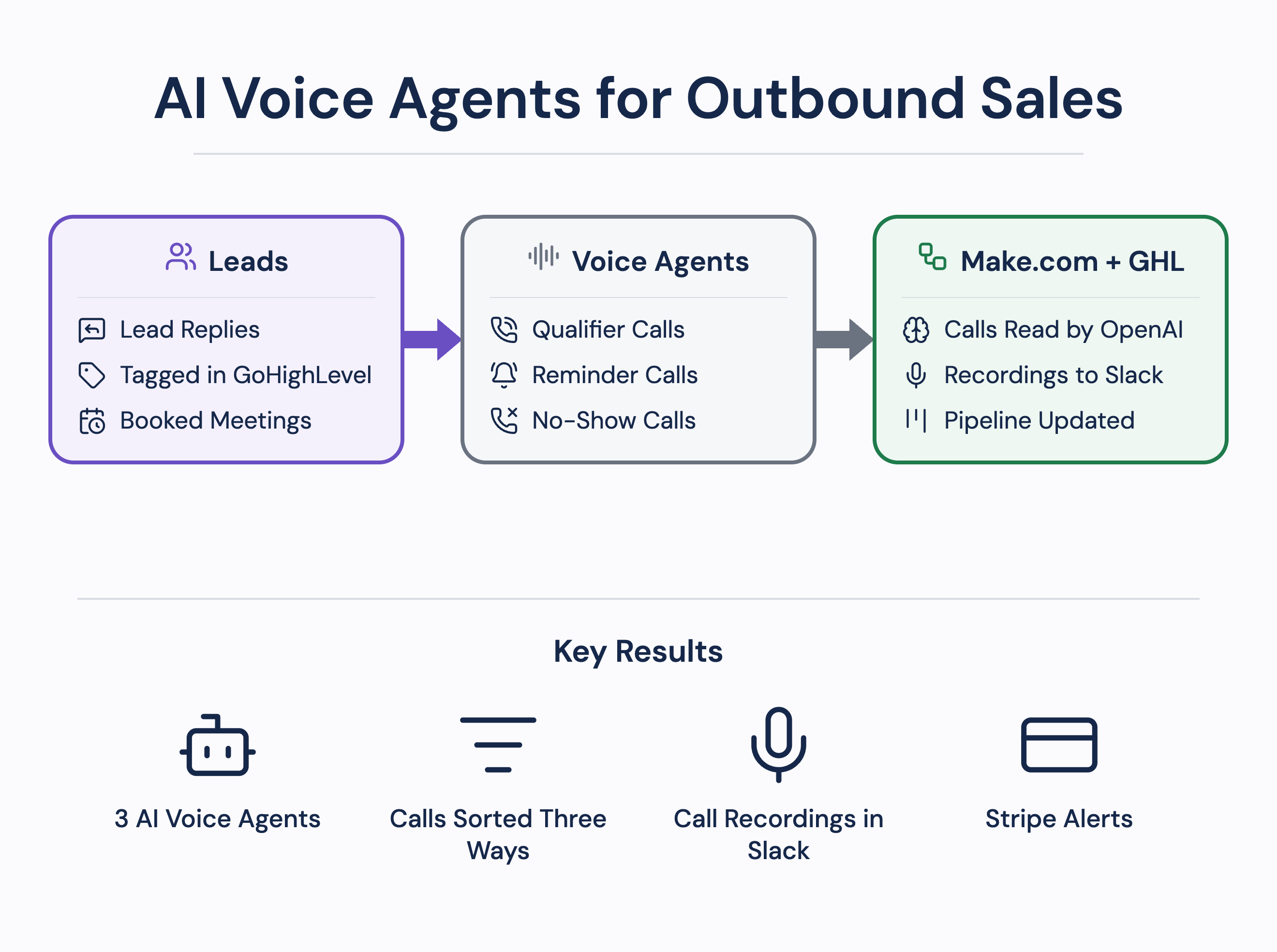
WhatsApp chats arrive in Interakt, the WhatsApp Business tool the sales team uses. Interakt records which Meta ad started each chat. A WhatsApp bot then asks about the occasion, the budget and the number of guests, and n8n logs the answers to a sheet and to the CRM.
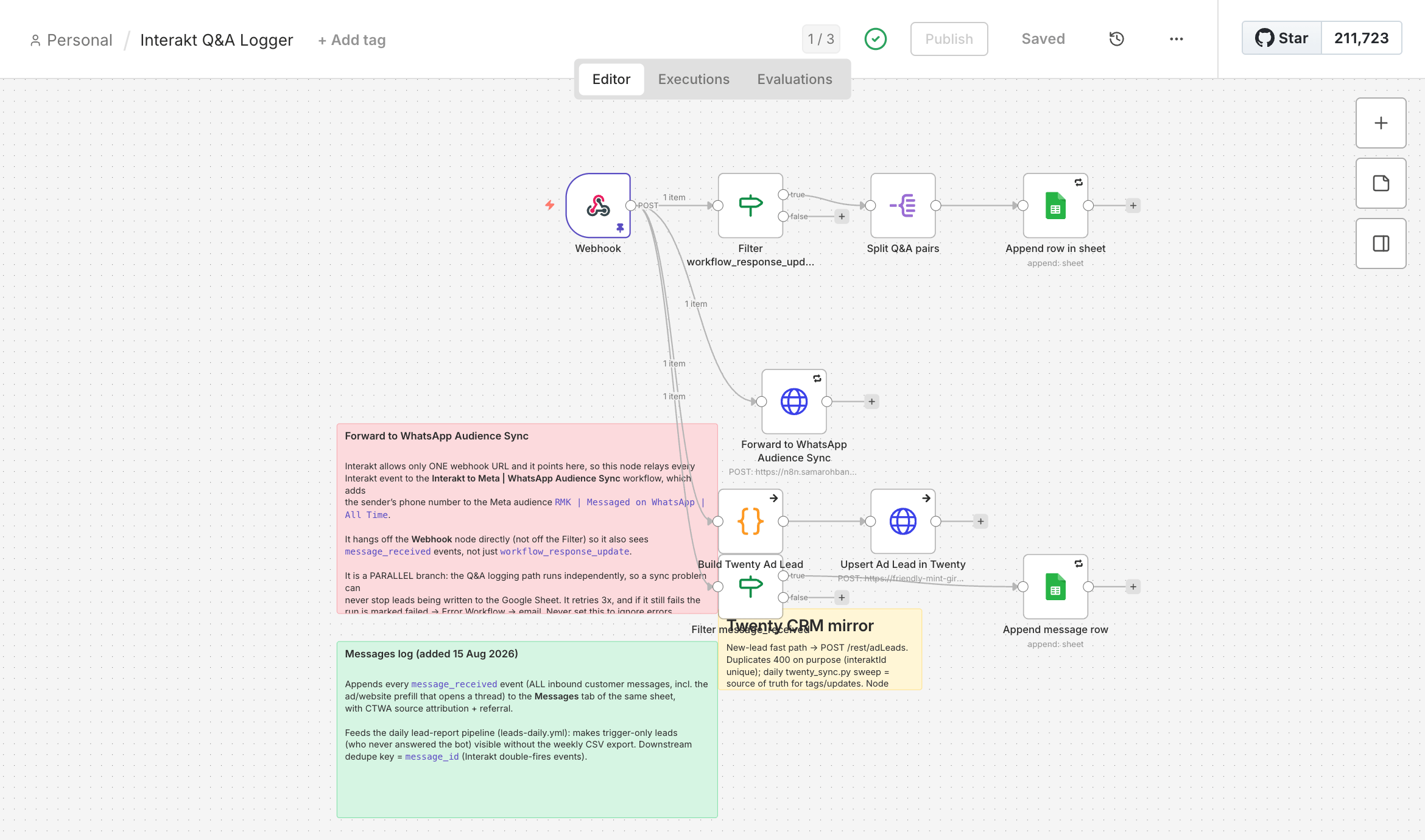
Google ads
Google knows who clicked an ad. It does not know who sent a WhatsApp message afterwards. To join the two, the website gives each visitor who arrives from an ad a short enquiry code, such as SB-7KQ2M, and adds it to the WhatsApp message they send.
Every morning a script matches the codes to the clicks. When a message has no code, the script looks for a click in the 10 minutes before the first message. It only makes the match if there is exactly one such click. If two clicks could fit, the lead stays unmatched, because a wrong match would credit the wrong ad.
So far 284 WhatsApp leads have been matched to the Google click that brought them.
Sales tags decide what counts
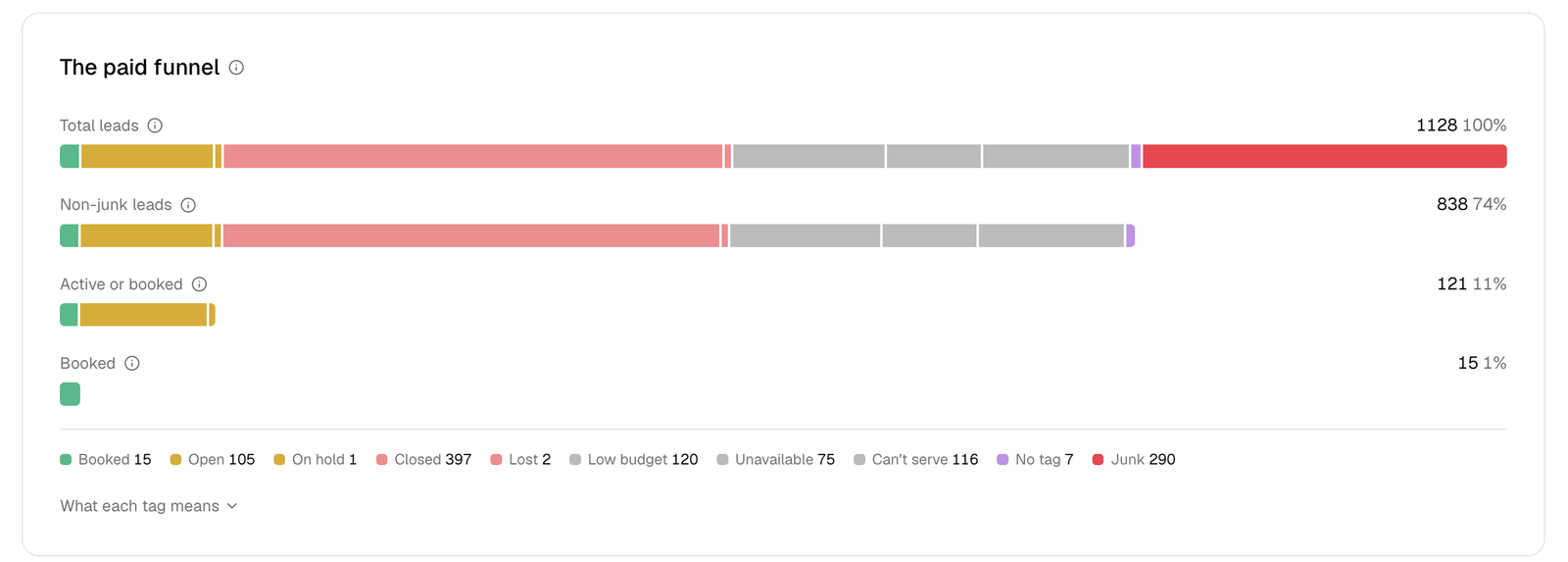
The sales team tags every chat in Interakt as they work on it: open, booked, low budget, can't serve, junk and a few more. These tags are the truth about each lead.
Interakt only shows the tags a contact has today. It keeps no history. So a script reads every tag each morning and records the date each one first appeared. That gives the time from first message to booking.
Sending sales results back to Google
Google Ads learns from the conversions it is told about. If it only hears about chats, it looks for more people who chat, junk included.
So the outcome of each matched lead goes back to Google Ads through Google's Data Manager API. A lead sends nothing until the sales team has looked at it and tagged it. Booked leads go back as bookings and promising ones as qualified leads. Junk is never sent.
The owners chose to wait for a person's tag because about a third of tagged leads used to turn out to be junk. The cost is speed: Google only hears about a lead once the team has tagged it.
Reports from ad to booking
All of this runs on its own. Every morning a GitHub Actions job pulls the sales tags from Interakt, the spend for each ad from Meta and Google, and the bot answers from n8n. It matches the Google clicks, sends new results to Google and publishes the paid ads report on the client's website, behind a password.
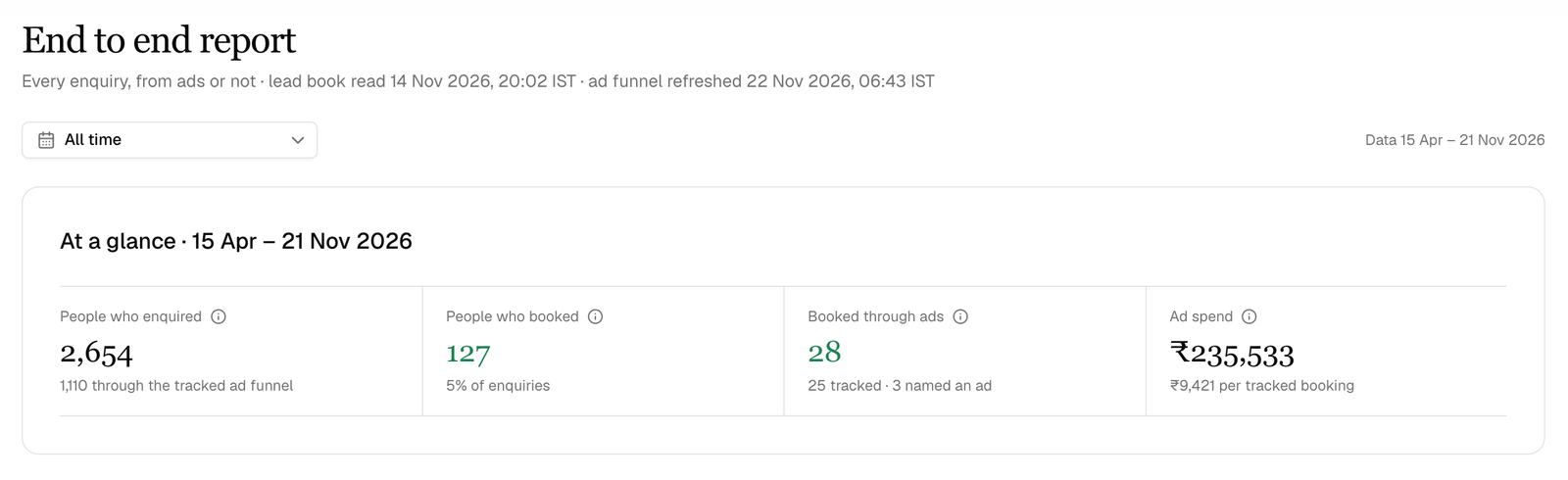
That report only covers people who came through WhatsApp. Many customers call, walk in, come back for another event or are sent by a friend. They are in the team's lead book, which syncs to Twenty. Each week a script reads the lead book from Twenty, skips anyone the ads report already counts and sorts the rest by source. The result is the end-to-end report: every enquiry, from ads or not, in one place.
The CRM behind it
The staff liked the sheets because typing into rows was fast. The owners didn't, because the data was messy and spread over many files.
A hard switch to new software meant days of training and lost work. So we set up Twenty CRM and connected it to the sheets the team already used. Staff kept working in the sheets, and every row reached the CRM.
Two-way sync with Apps Script
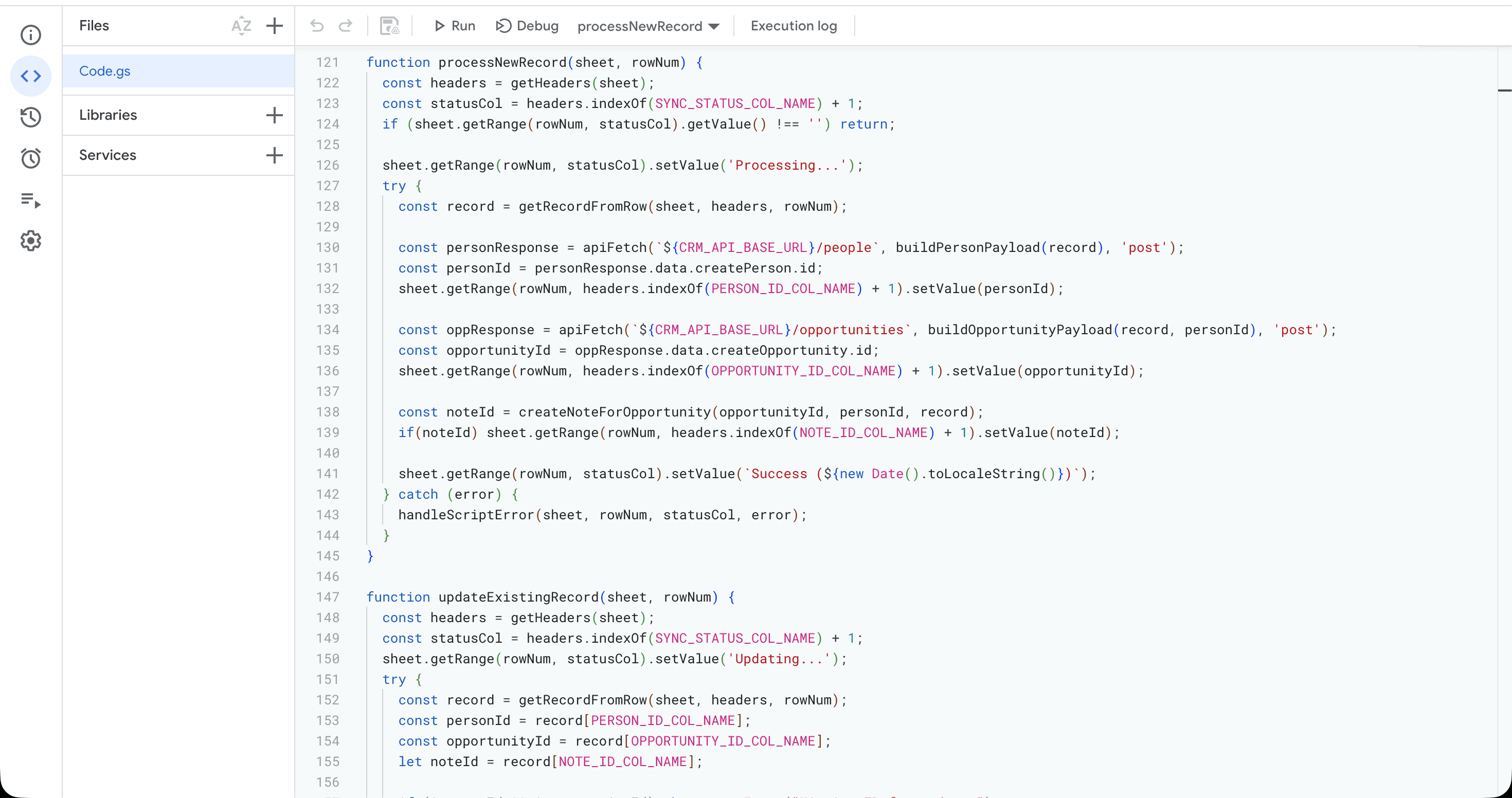
We wrote a script that keeps the sheets and Twenty in step.
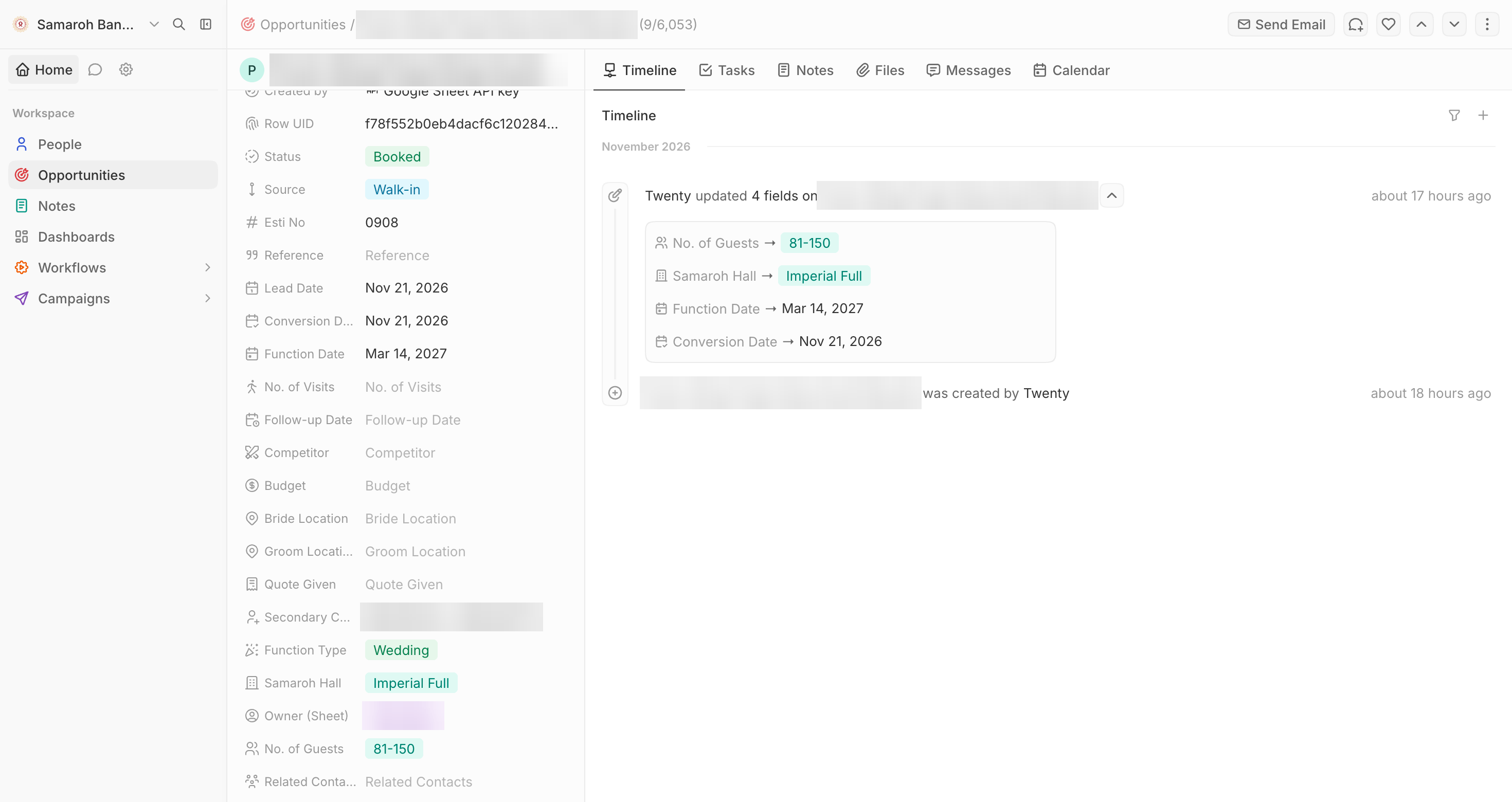
- Each row becomes three records. When someone adds a row, the script creates a Person, an Opportunity and a Note in Twenty.
- The CRM ID goes back in the row. Staff can see that their data was saved.
- Changes flow both ways. If a manager changes a deal stage in Twenty, the sheet updates too.
This sync still runs today.
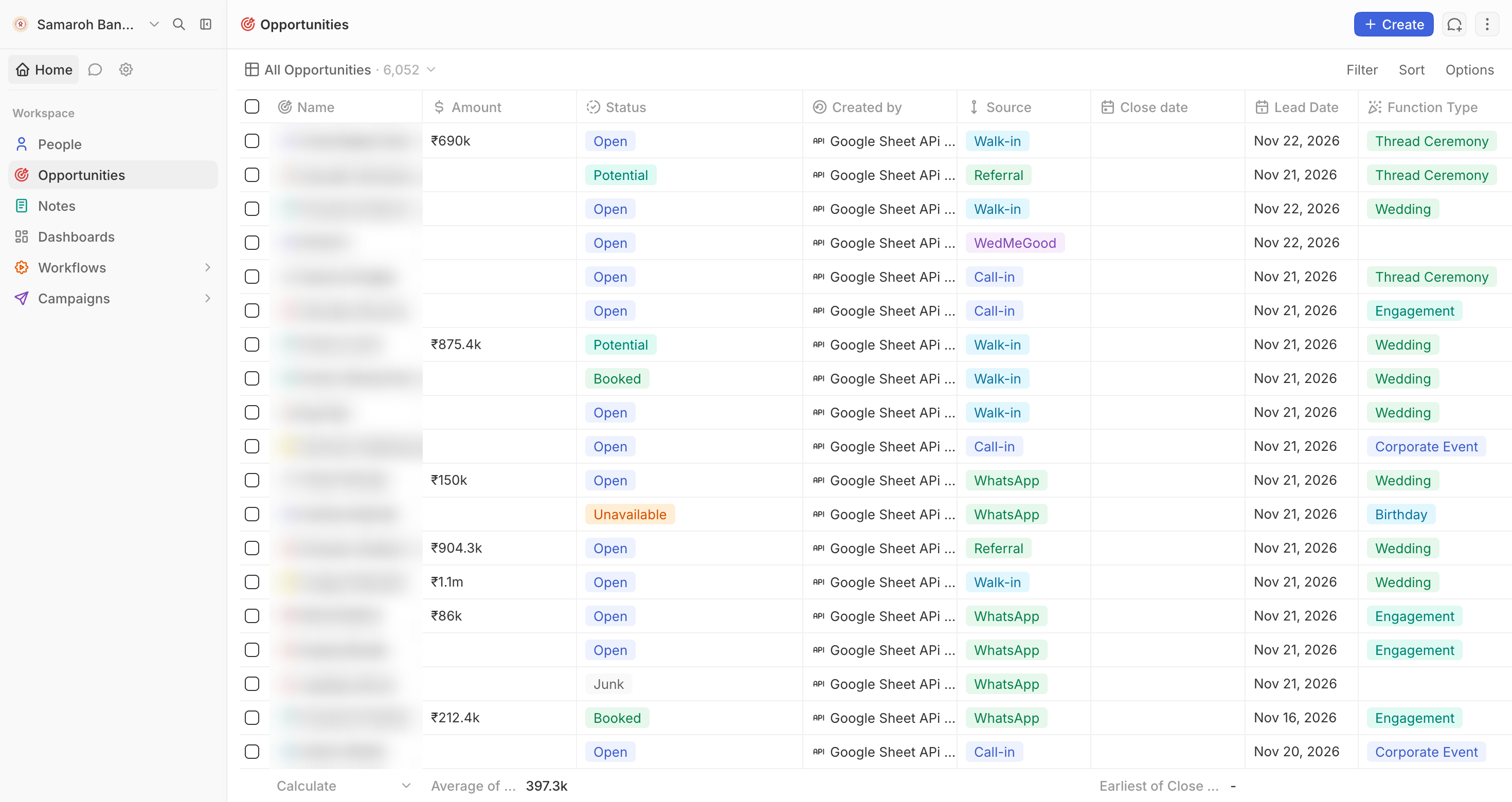
The lead book in Twenty
Every enquiry now sits in Twenty with its source, status, lead date and type of event. This is the lead book the 56% is counted from.
Reviews and sales data
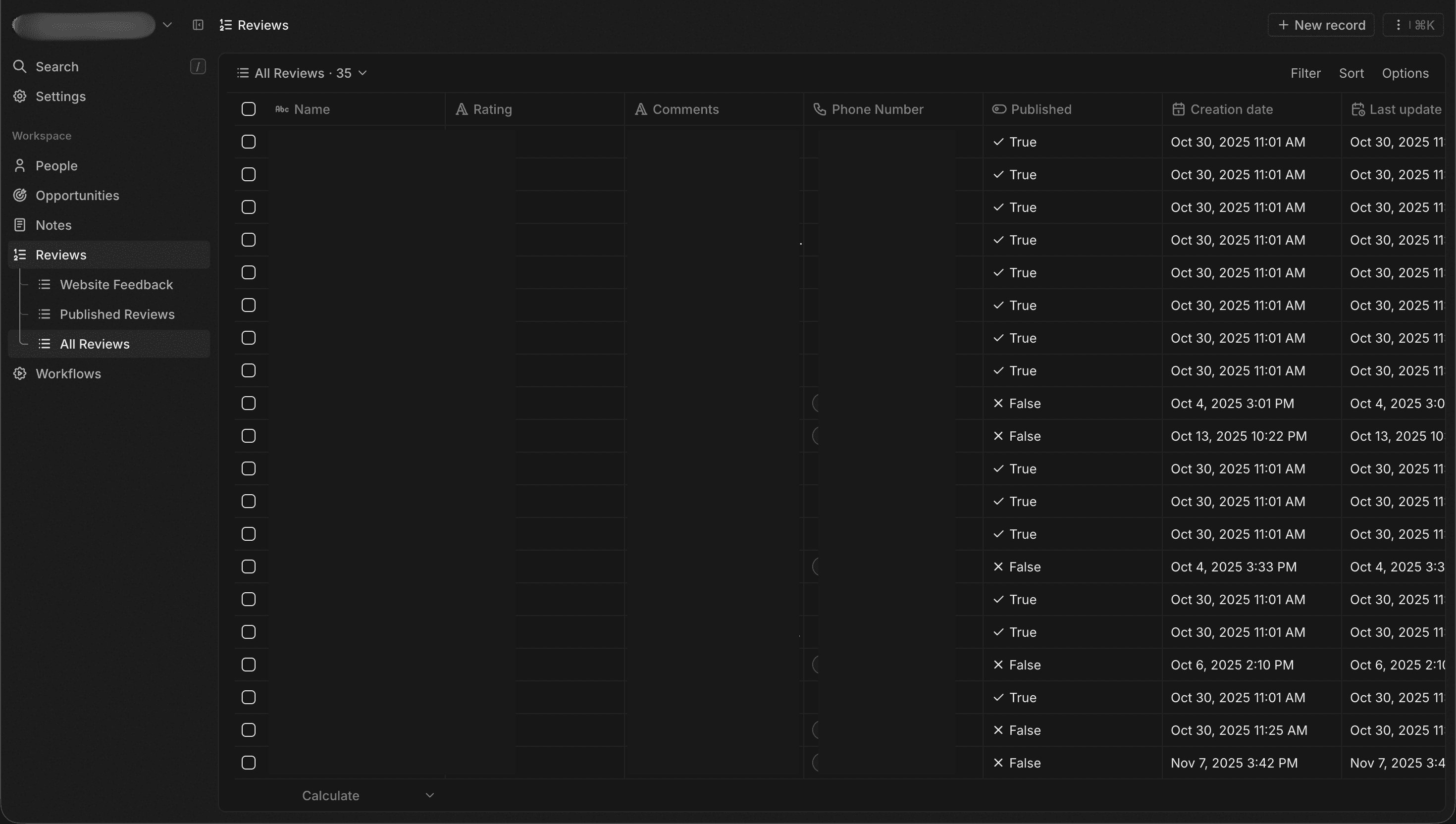
We added a Reviews object in Twenty for feedback from the online profiles and the QR codes at each hall. n8n sorted the reviews. One below 3 stars sent the owner a message straight away, and 4 stars or more tagged the customer as a VIP.
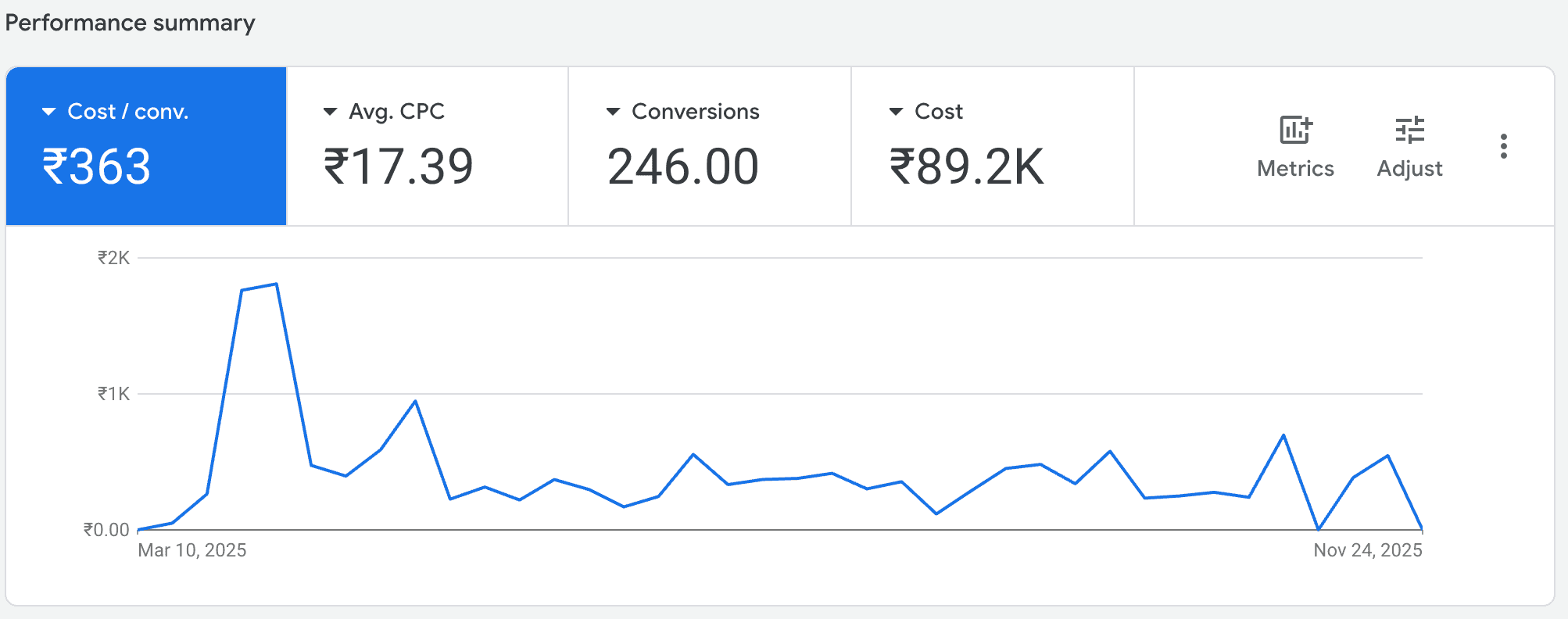
We also connected the CRM to Google Tag Manager, so sales data went back to Google and Facebook Ads. From March to November 2025, Google Ads cost ₹363 per conversion across 246 conversions.
Everything else we automated
Around the CRM and the tracking, a set of n8n workflows does the small jobs nobody should do by hand:
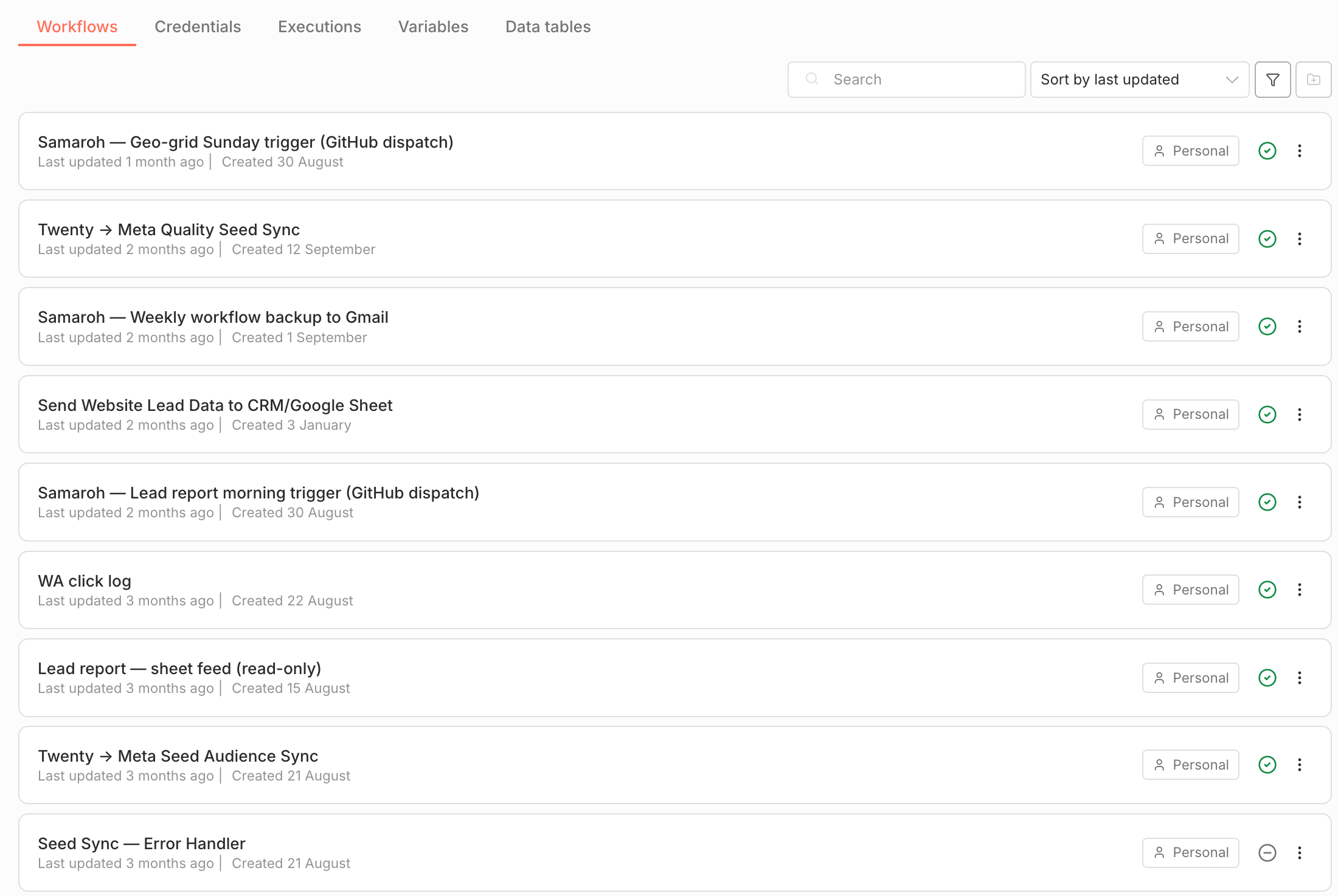
- WhatsApp answers logged. The bot's questions and each lead's answers go to the lead sheet and to Twenty.
- Website clicks logged. Every click on a WhatsApp button on the website is saved with the ad it came from. This feeds the Google click matching.
- Website form to CRM. A filled enquiry form lands in Twenty with its ad details.
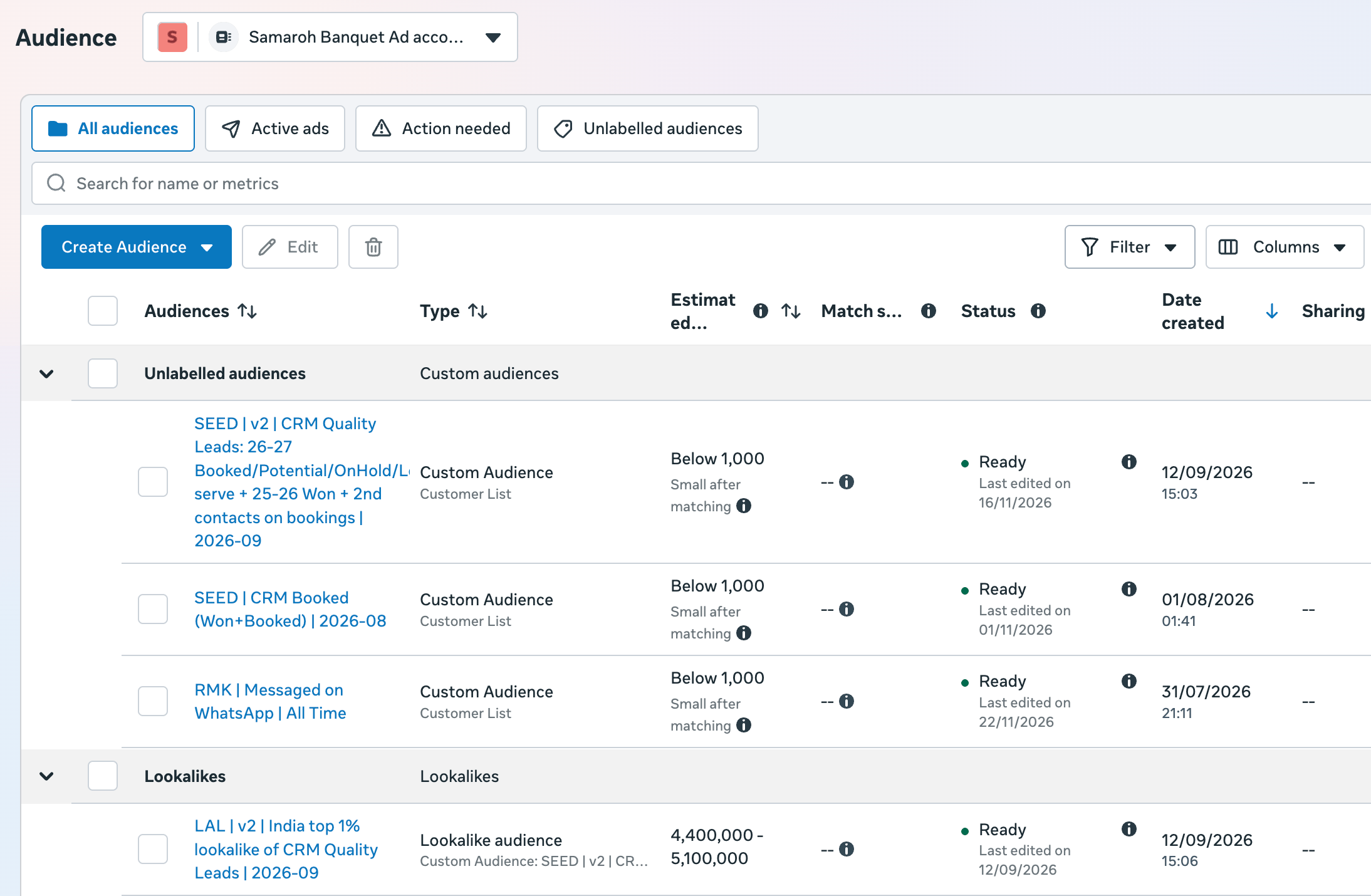
- Remarketing audiences. Everyone who messages on WhatsApp is added to a Meta audience, so remarketing ads can reach them.
- Lookalike audiences from the CRM. Each week, real enquirers and booked customers from Twenty go to a Meta audience, and Meta finds more people like them.
- Reports on time. n8n starts the daily report job each morning, and sends an email only if the whole night fails.
- Alerts and backups. A failed workflow sends an email. Every workflow is backed up each night, and again each week by email.
What the numbers show
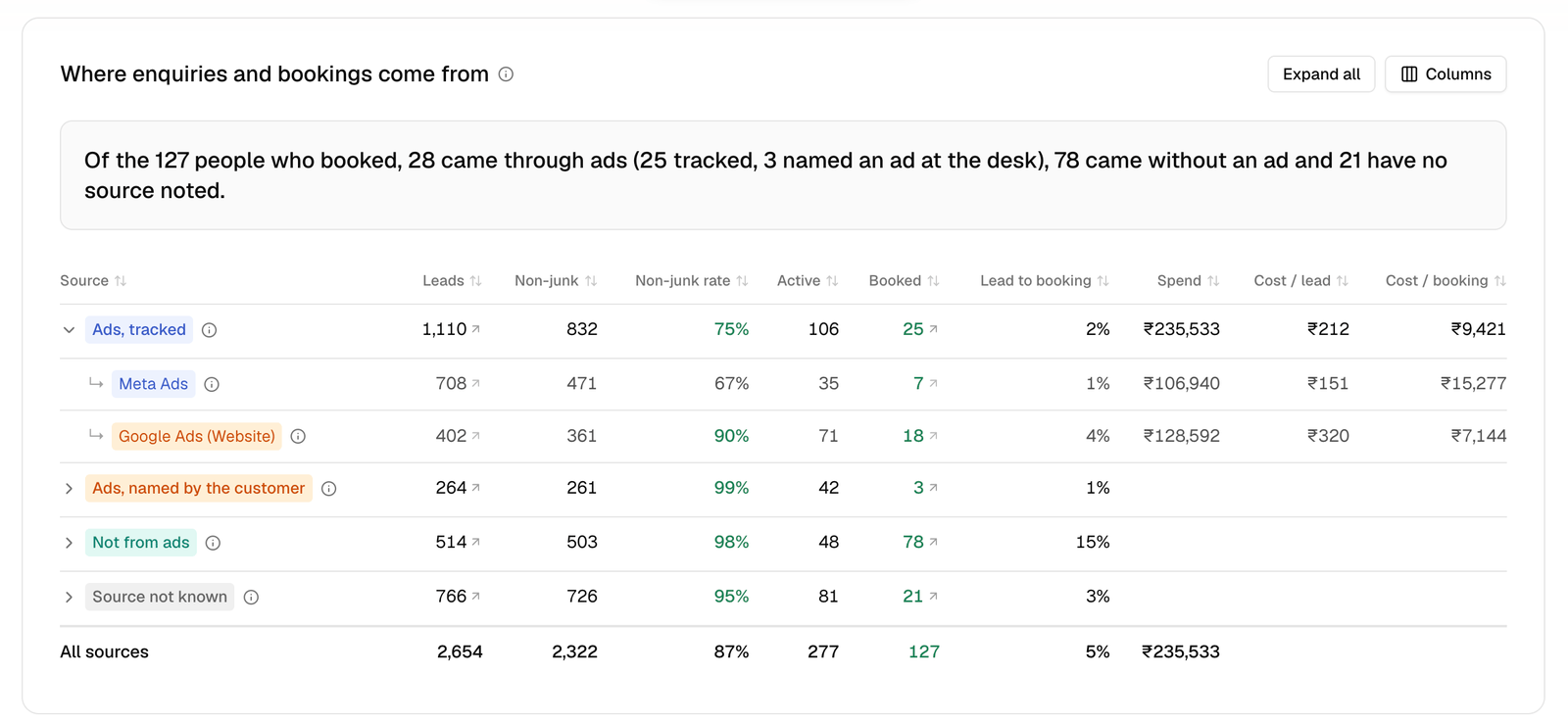
The end-to-end report counts people rather than rows. From 15 April to 21 November 2026, 2,654 people enquired and 127 booked. Ads brought 28 of those bookings, or 22%: 25 traced through the pipeline and 3 from people who named an ad at the front desk. The ads cost ₹235,533 in all, or ₹9,421 per traced booking.
Split by channel:
- Google Search: 402 leads. 90% were real and 4% booked.
- Meta: 708 leads. 67% were real and 1% booked.
Judged by cost per lead, Meta looks cheaper: its leads cost less than half of Google's, ₹151 against ₹320. Judged by cost per booking, Google is cheaper: its bookings cost 53% less than Meta's, ₹7,144 against ₹15,277.
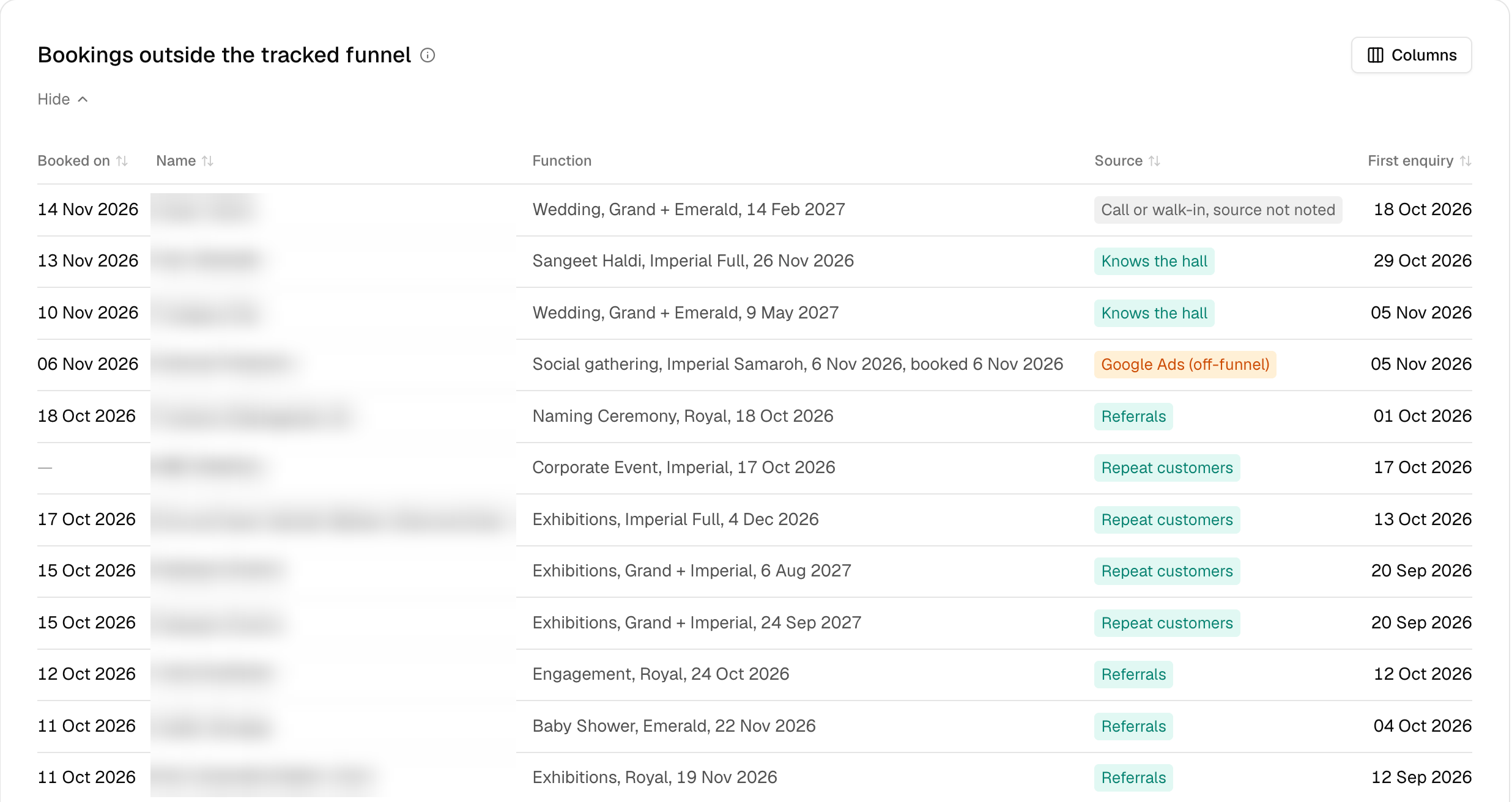
The report also shows how the other bookings arrive. Repeat customers booked 40% of the time and referrals 29%, against 2% for leads traced to ads.
Planning the budget
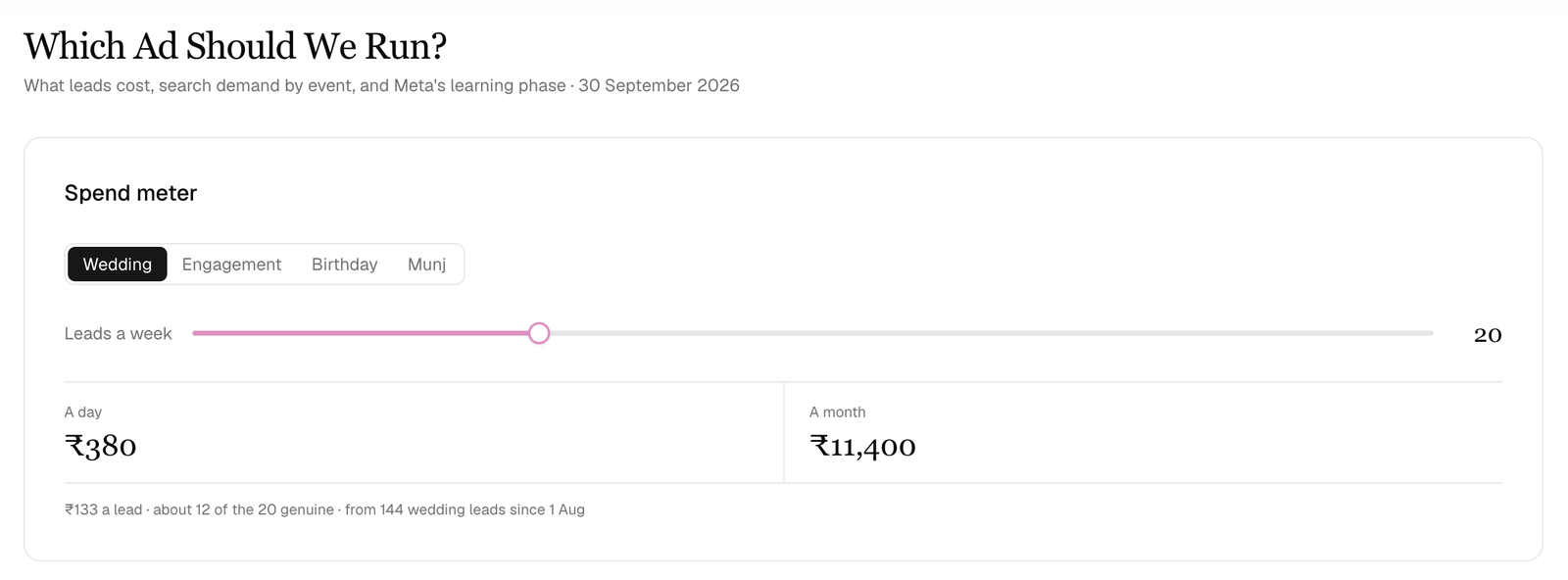
A separate page turns these costs into a budget. You pick an event and the number of leads you want each week, and it shows the daily and monthly spend, based on what each lead has really cost.