15
Integrations built for Tuskr in Make.com
From Asana and Jira to Slack and Zoho Projects, each listed on Tuskr's integrations page
No copy and paste
A failed test becomes a task or ticket in the developers' tool without anyone retyping it.
One pattern for every tool
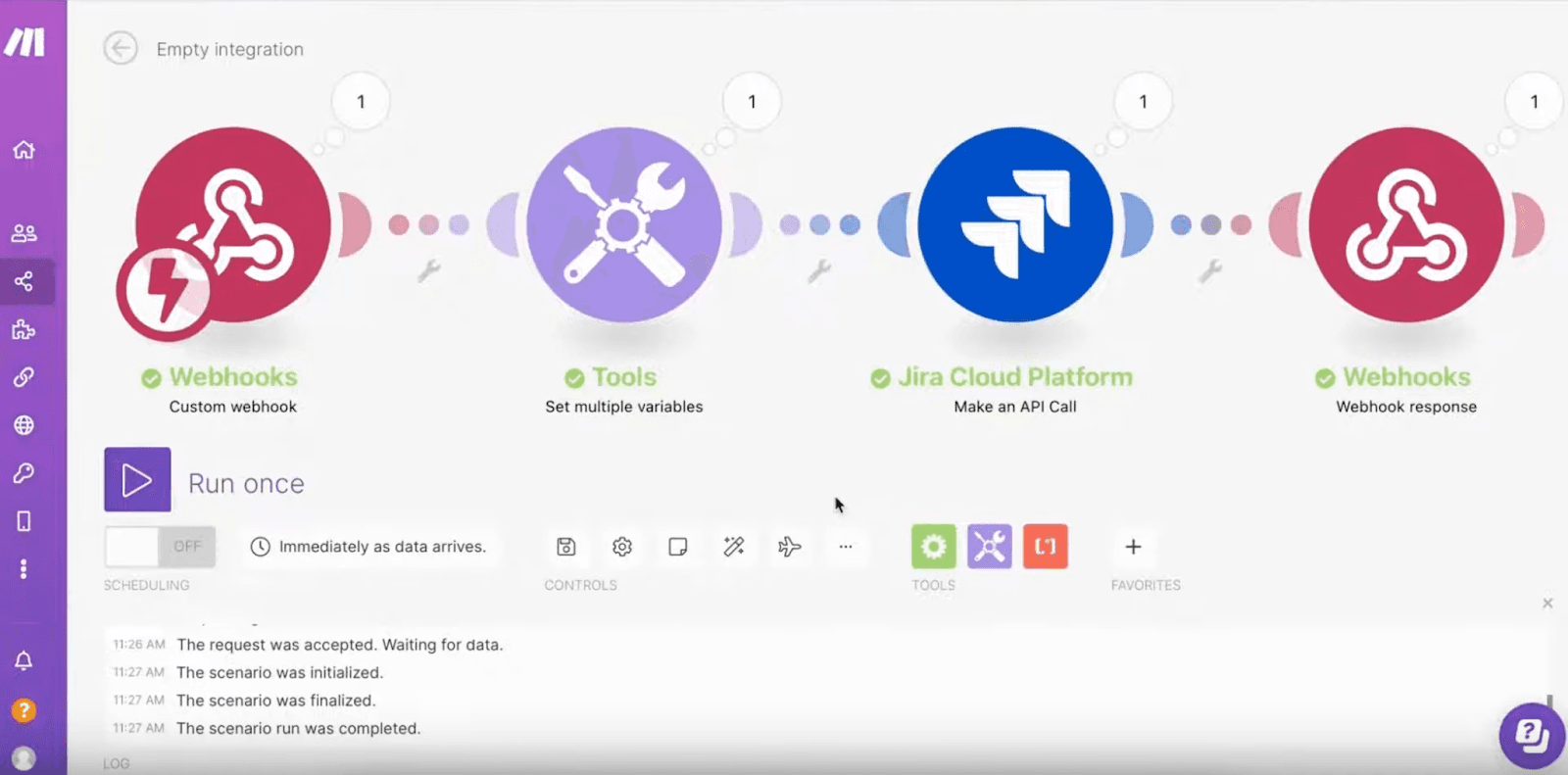
Each integration follows the same steps: a Tuskr webhook, a Make.com scenario, a reply.
Two-way with Jira
When a Jira ticket is updated, the test in Tuskr is marked for retesting.
Slack in the loop
With Asana, the right developer gets a Slack message, and replies land on the task.
Built with
Make.comTuskr webhooksJiraAsanaSlackClickUpLinearMonday.comZoho ProjectsTuskr is a test case management tool. Testers plan and run their tests in it, and mark the ones that fail.
Developers fix those failures somewhere else: in Jira, Asana, ClickUp, Linear or one of a dozen other tools. Without a link between them, a tester had to retype every failed test as a ticket in the developers' tool, then update Tuskr by hand once the fix was in. Details got lost, and bugs were missed.
We built Tuskr's integrations with 15 of those tools in Make.com.
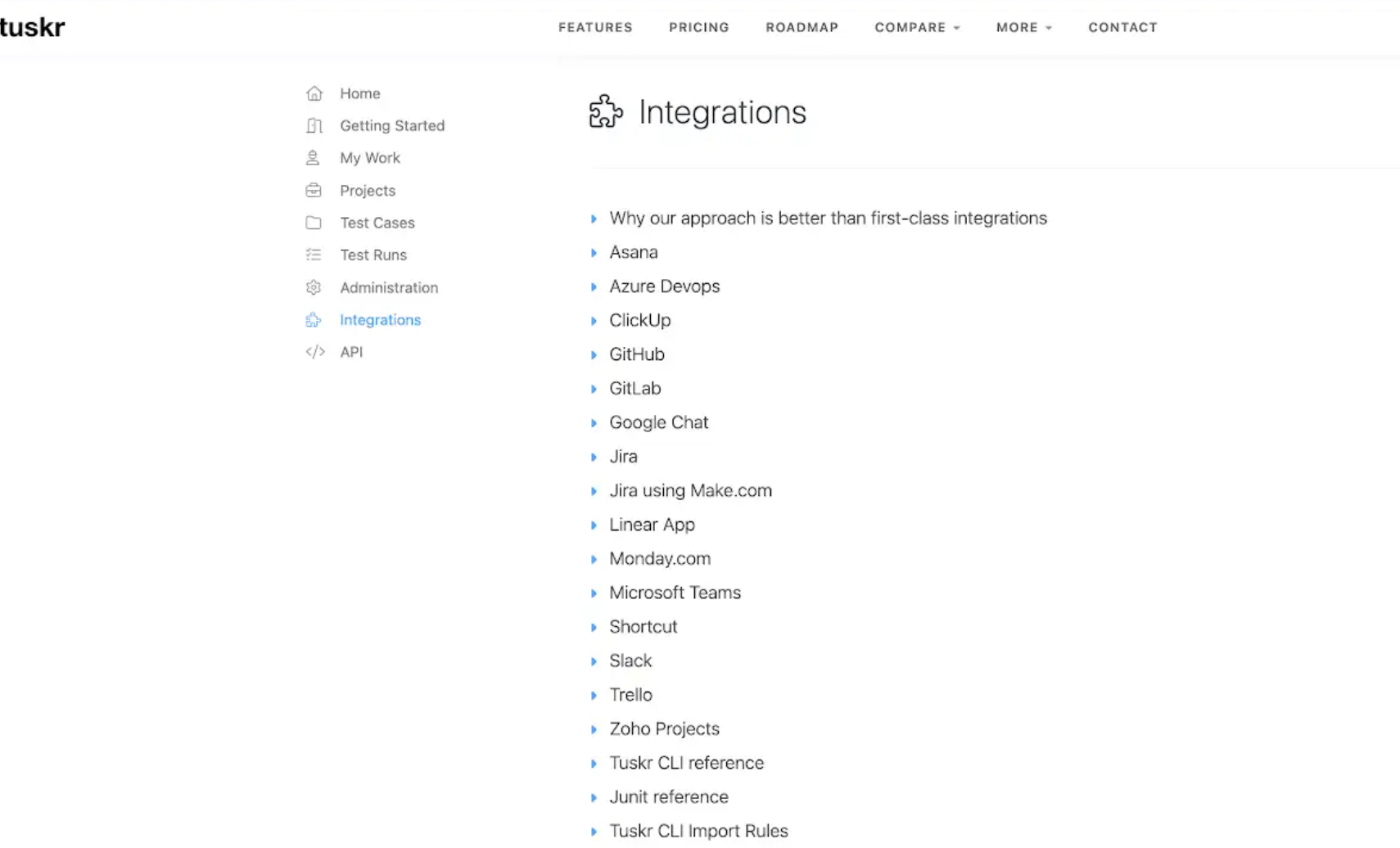
All 15 integrations
Tuskr lists every one of them on its integrations page:
- Project and task tools: Asana, ClickUp, Linear, Monday.com, Shortcut, Trello and Zoho Projects
- Developer tools: Jira (two versions), Azure DevOps, GitHub and GitLab
- Team chat: Slack, Microsoft Teams and Google Chat
How each integration works
Every integration follows the same pattern.
How each Tuskr integration works
In Tuskr
A test fails
The tester marks it failed, with the run and their comments.
- Tuskr sends a webhook
In Make.com
Read the test
Picks up the test case, the run and the tester’s comments.
Shape the text
Lays the details out the way the other tool expects them.
- One API call
In the developers’ tool
A task, ticket or bug
Created in Jira, Asana, ClickUp, Linear, Monday.com, Zoho Projects or another of the 15 tools.
- Tuskr hears back
Back in Tuskr
A reply
Most scenarios answer the webhook, so Tuskr knows the task or ticket exists.
Updates from Jira
In the two-way Jira version, a fixed ticket marks the test for retesting.
Six integrations up close
Jira, both ways
Jira got the deepest integration: it works both ways.
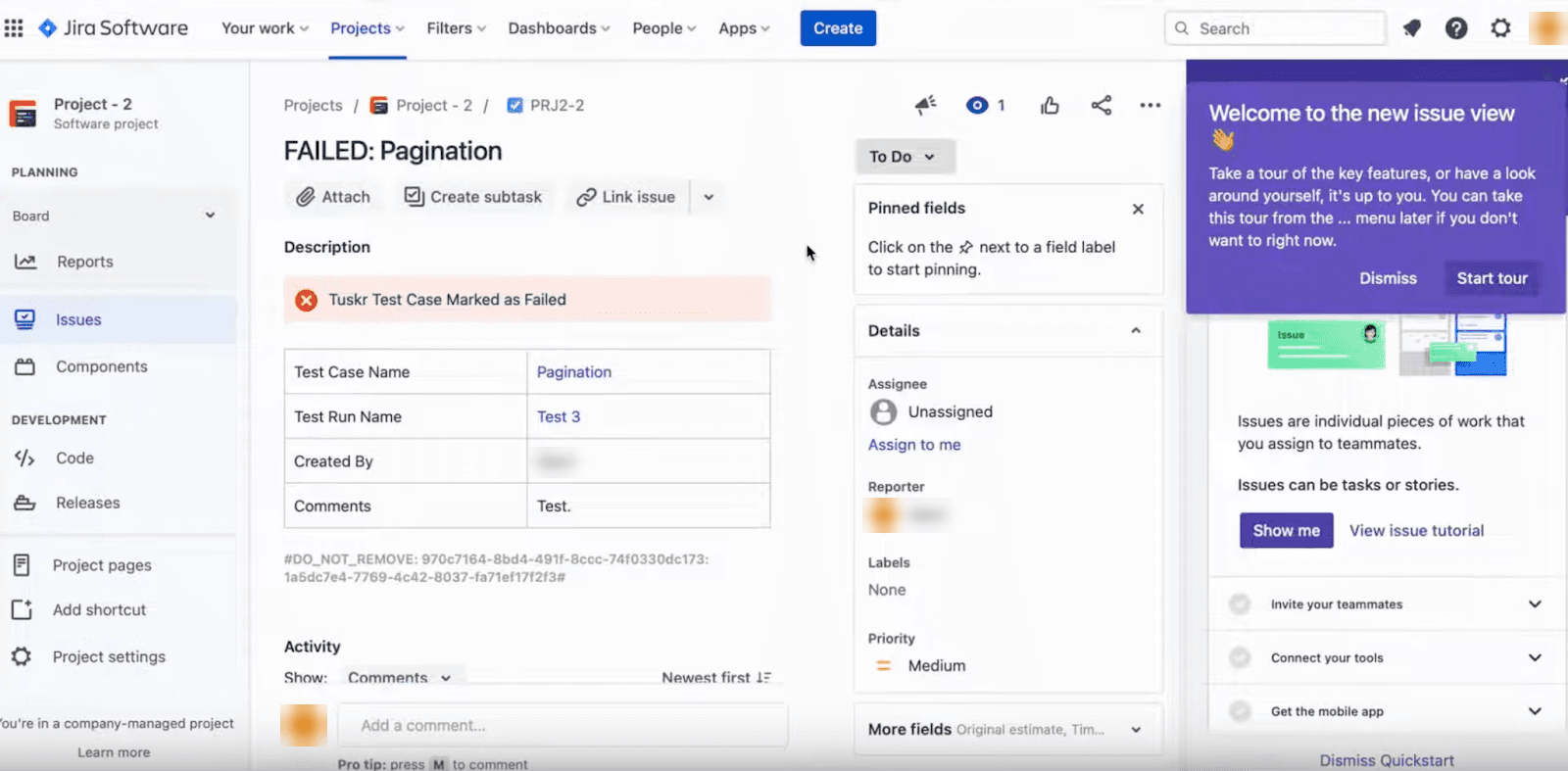
When a test fails in Tuskr, the integration:
- Picks up the test details, including the case name, the run and the tester's comments
- Lays them out so they read well in Jira, with tables and panels
- Creates the Jira ticket, with hidden IDs that link it back to Tuskr
When the ticket is updated or resolved, a second flow reads the hidden IDs and sends Tuskr the new status, such as "RETEST", with the relevant comments from Jira. Testers know the fix is ready without asking.
Asana and Slack
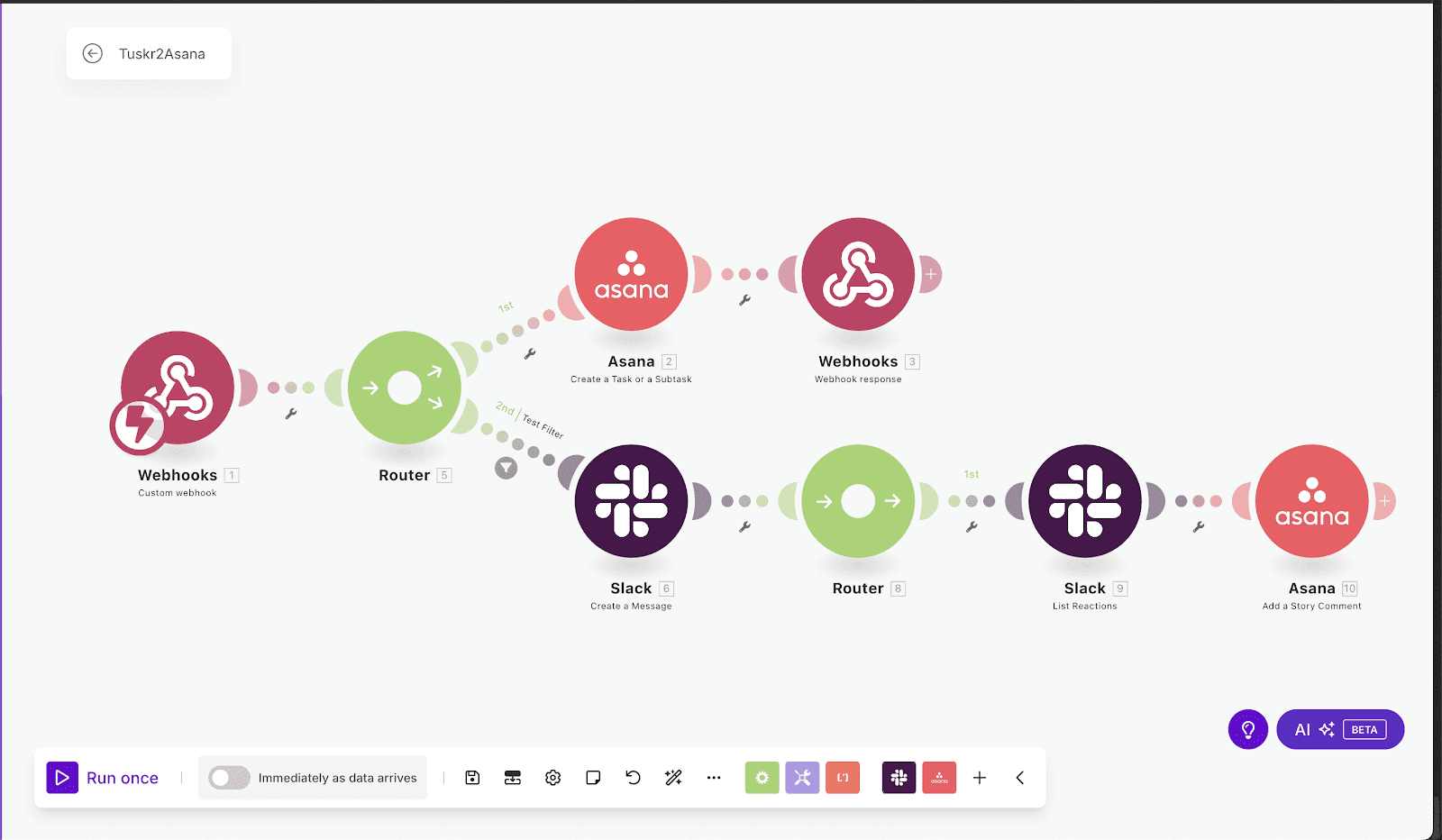
The Asana integration creates a task as soon as a bug comes in. A second branch posts it to Slack, so the right developer hears about it straight away, and copies the Slack replies back onto the Asana task as comments. The whole conversation stays in one place.
ClickUp
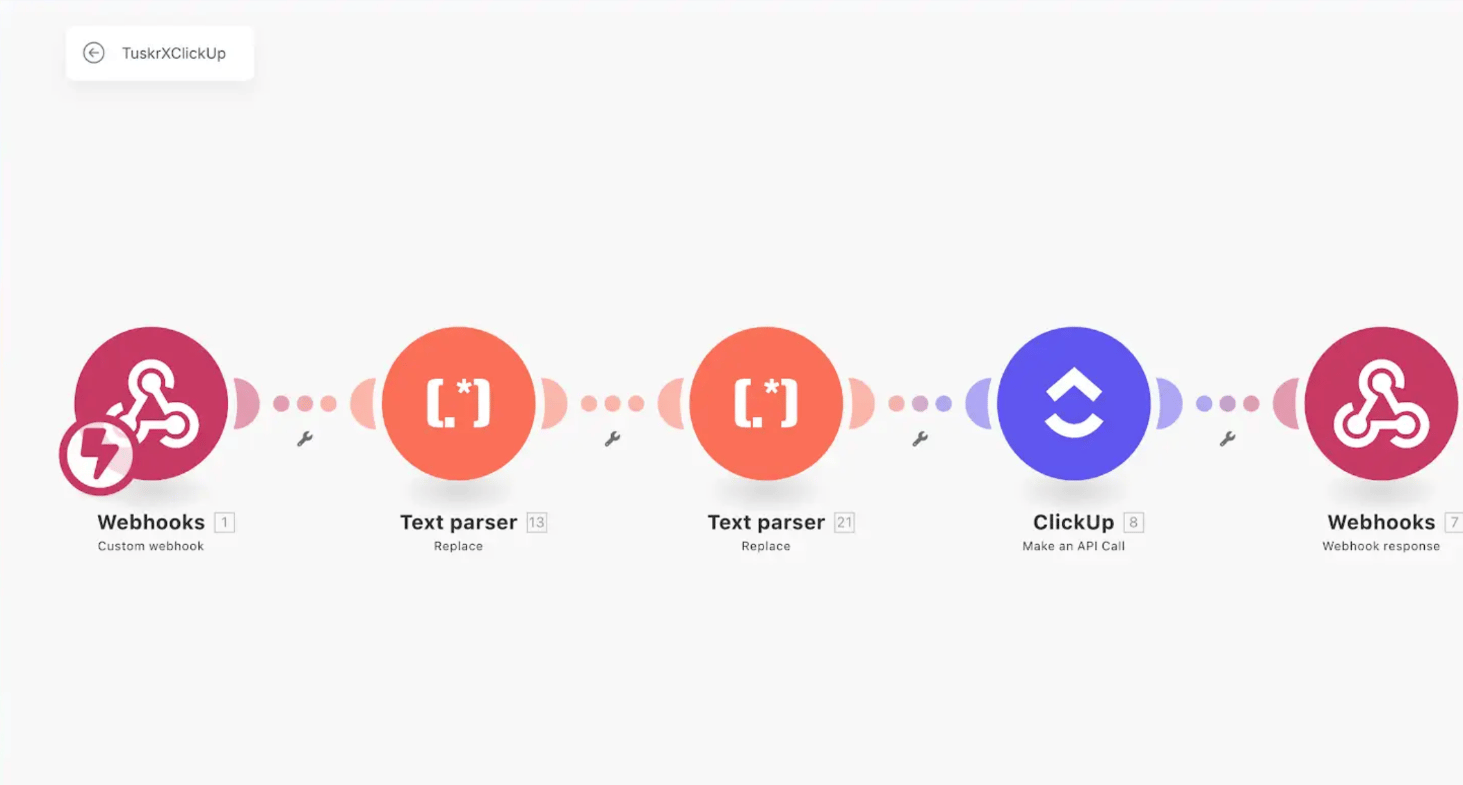
Two text steps clean up the test details before a ClickUp API call creates the task, then the scenario replies to Tuskr.
Linear
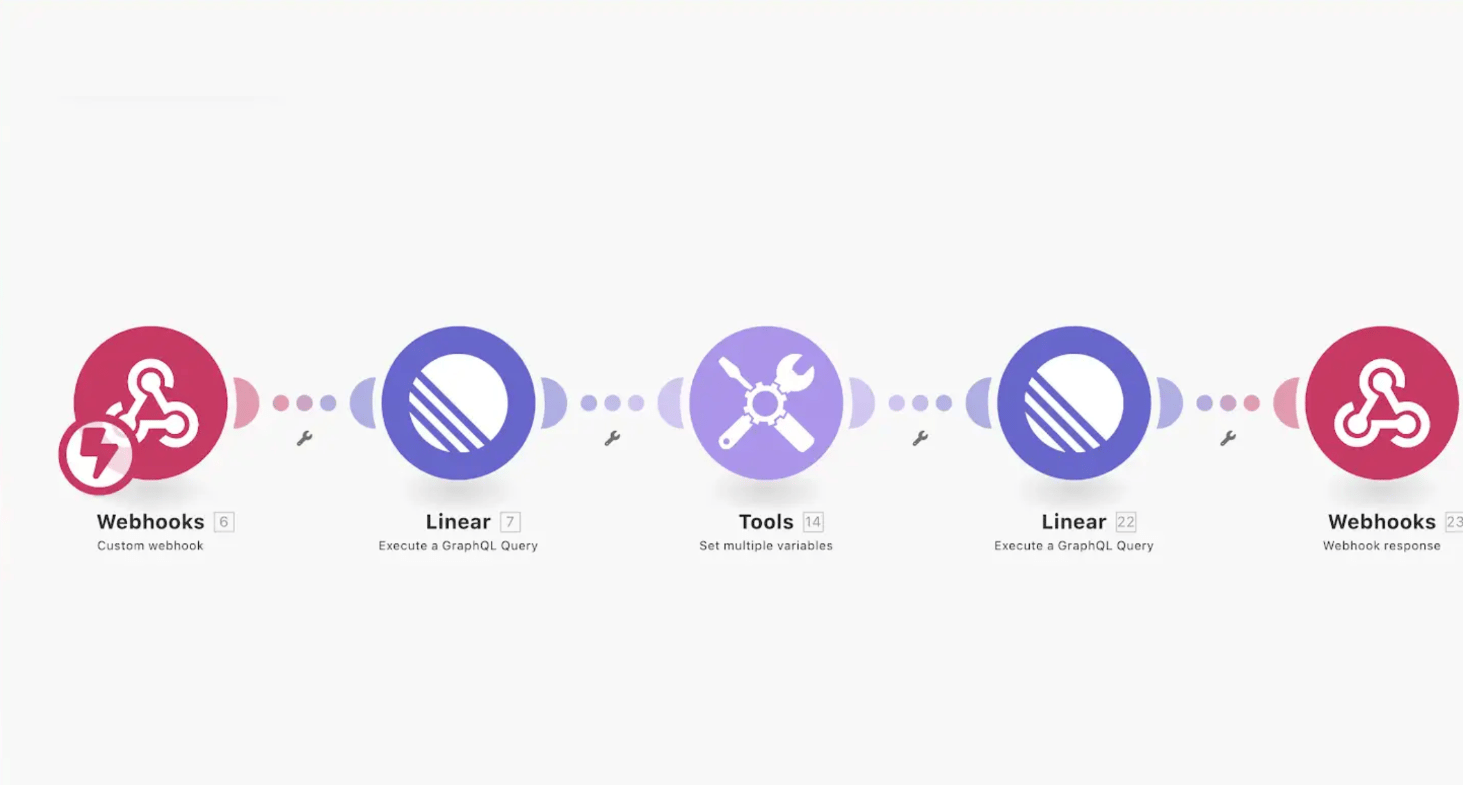
The Linear scenario talks to Linear's GraphQL API in two steps, with a step between them that sets the values the second call needs.
Monday.com
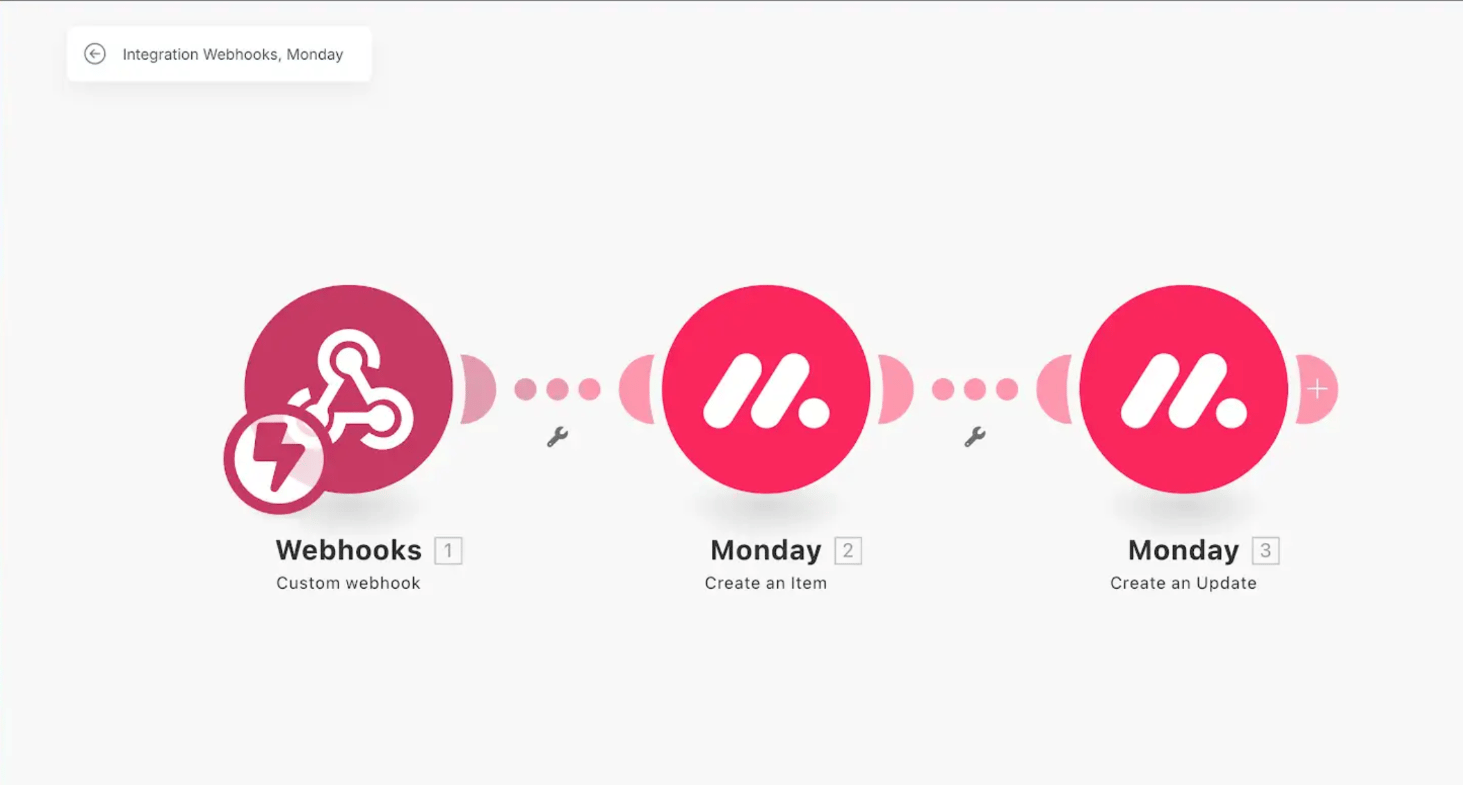
A failed test becomes an item on a Monday.com board, and a second step adds the test details to that item as an update.
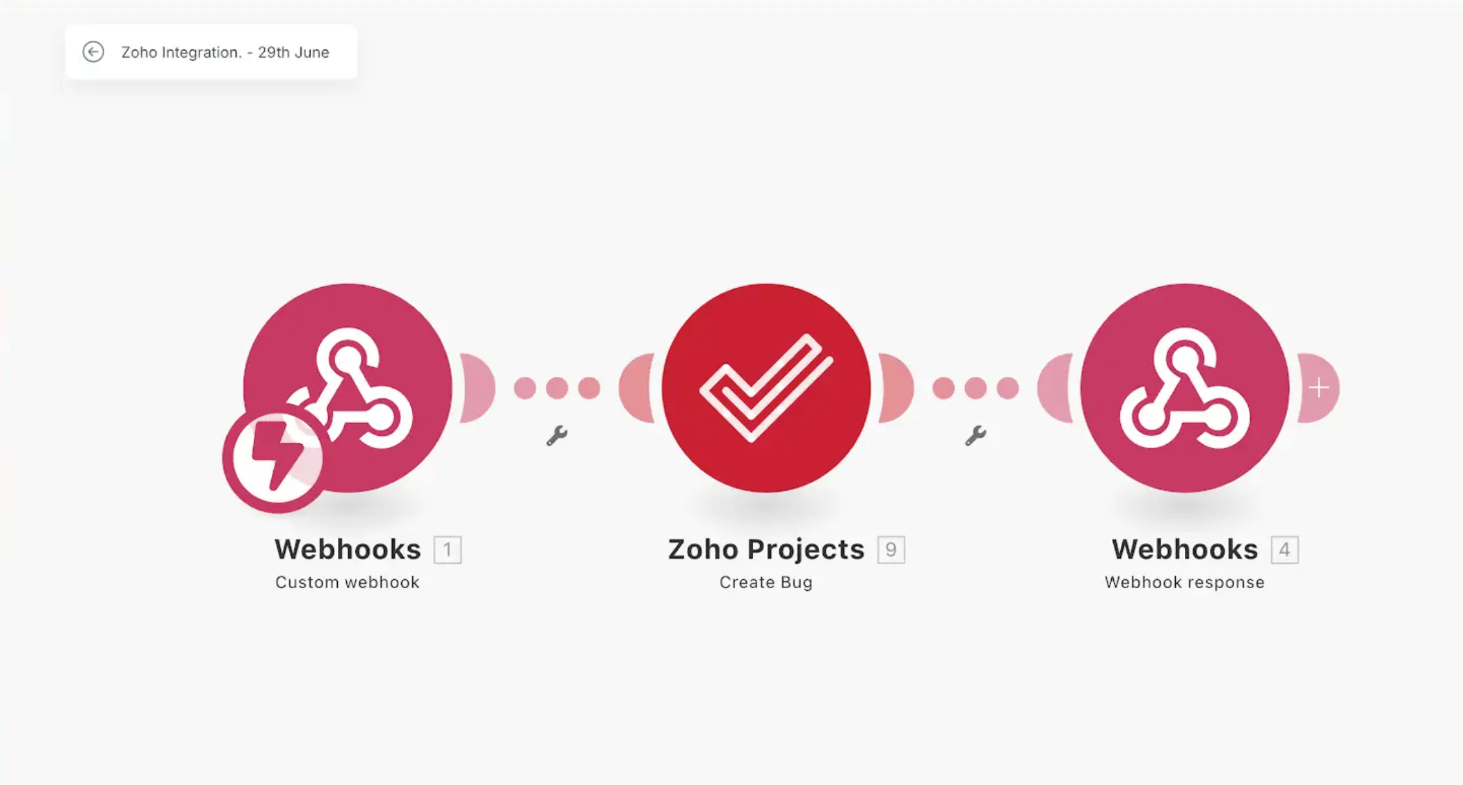
Zoho Projects
The simplest of the six: a failed test creates a bug in Zoho Projects, and the scenario replies to Tuskr.
What it changed
- Nobody retypes a failed test. It reaches the developers' tool on its own, with the details they need.
- In Jira, every bug links back to its test. Developers can see which test and run it came from.
- Testers hear about fixes. In the two-way Jira version, a fixed ticket marks the test for retesting.
- Teams keep their own tools. Testers stay in Tuskr, and developers stay in whichever of the 15 tools they already use.